
What is the Payment Mode Master : 5 Step Easy Guide on How to Use It

The Payment Mode Master in DigiEdu ERP is a simple settings page in a school management system. It allows schools to create, view, and manage all the different ways parents can pay school fees, such as Cash, UPI, Bank Transfer, or Cheque. How to Use It Why Use It? Contact Chandra Software Technologies Looking for […]
Understanding the Auto No Scheme in School Management ERP: 4 Easy Steps
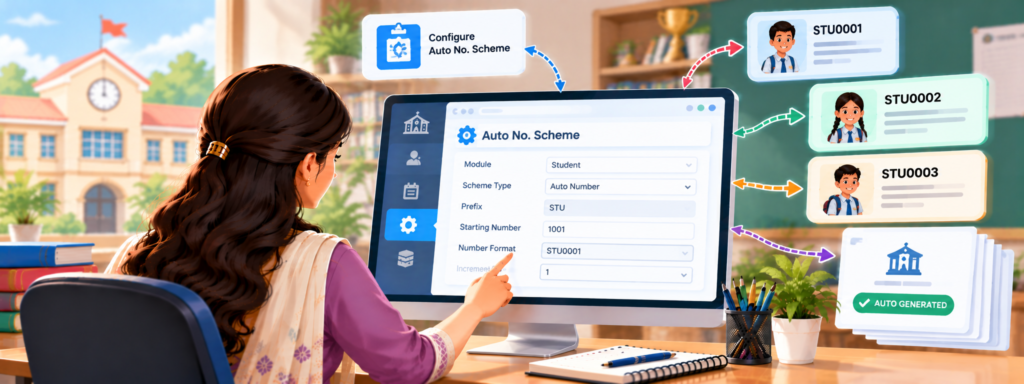
The Auto No Scheme feature in DigiEdu ERP Software is a core configuration tool that automates the generation of sequential identification numbers and reference codes across your institution without manual entry each time. How to Use Auto No Scheme Managing your numbering sequences involves setting up a few key parameters: Why Use It? Contact Chandra […]
Staff Section in DigiEdu ERP: 4 Easy Steps on How to Use This

The Staff Section in DigiEdu ERP is a digital directory for you school staff. It acts as a single, organized list where the school administration can view, add, and manage every category of employee—from teachers and heads of departments to bus drivers and administrative staff. Using this is Very simple. Here’s how to use it. […]
Simple Guide For Basic Configuration Feature in DigiEdu ERP : 4 Easy Steps

Running a school involves handling hundreds of small details every single day—from printing fee receipts and admit cards to deciding whether teachers can enter exam marks. Doing all of this manually on paper takes a lot of time. Which is where the Basic Configuration feature comes handy in DigiEdu ERP. How to Use Basic Configuration […]
How to Set SMS Templates in DigiEdu ERP: Easy 3 Step Guide

Running a school involves sending SMS and communicating with dozens or even hundreds of parents every single day. Whether it is telling a parent that their child is absent, sending out fee reminders, or announcing a school holiday, sharing information quickly is very important.That is where the SMS Feature comes in DigiEdu ERP. How to […]
Easy 4 Step Guide: How and Why to Use the Document Section in DigiEdu ERP

In any school management system, handling paperwork properly is essential. Whether it is admission forms, ID card formats, transfer certificates, or official school documents, the Document section in DigiEdu ERP helps you organize and manage all important types of files in one central place. How to Use the Document Page: Step by Step Step 1: […]
Quick 4 Step Guide: How and Why to Use the Bank Master Section in DigiEdu ERP

In any school, managing fee collections, online payments, and staff salaries requires keeping track of bank details. The Bank Master in DigiEdu ERP section is where you save and manage all the accounts your school uses for official transactions. Here is everything you need to know about why you should use it and how to […]
DigiEdu ERP:How to Efficiently Manage Salutations/Qualifications/Occupations in DigiEdu ERP: 4 Step Easy Guide

Managing student and staff details smoothly starts with setting up the right options in DigiEdu ERP system. This page allows you to add common titles, educational backgrounds, and professions so you can select them easily during student or staff registration. Step-by-Step Guide To Use Salutations/Qualifications/Occupations: Step 1: Check Existing Entries Step 2: Add a New […]
How to Efficiently Set the House/Club Section in DigiEdu ERP : 3 Step Quick and Guide

In any school, extracurricular activities play a big role in a student’s growth. To organize students into different groups—such as Sports Houses (Red, Green, Blue, Yellow) or various cultural clubs—DigiEdu ERP has a dedicated House/Club section. In this simple guide, let’s see step-by-step how to use this feature. How to Use House/Club Feature 1. How […]
How to Use the Caste/Category Section in DigiEdu ERP: Easy 3 Step Guide

The Caste/Category Section Provides you a way to keep a master records of Religion, Caste and Category to Make the process quick and efficient. To make this easy, DigiEdu ERP has a special Caste/Category section. In this simple guide, we will learn step-by-step how to use this module. Step-by-Step Guide: How to Use It Follow […]