
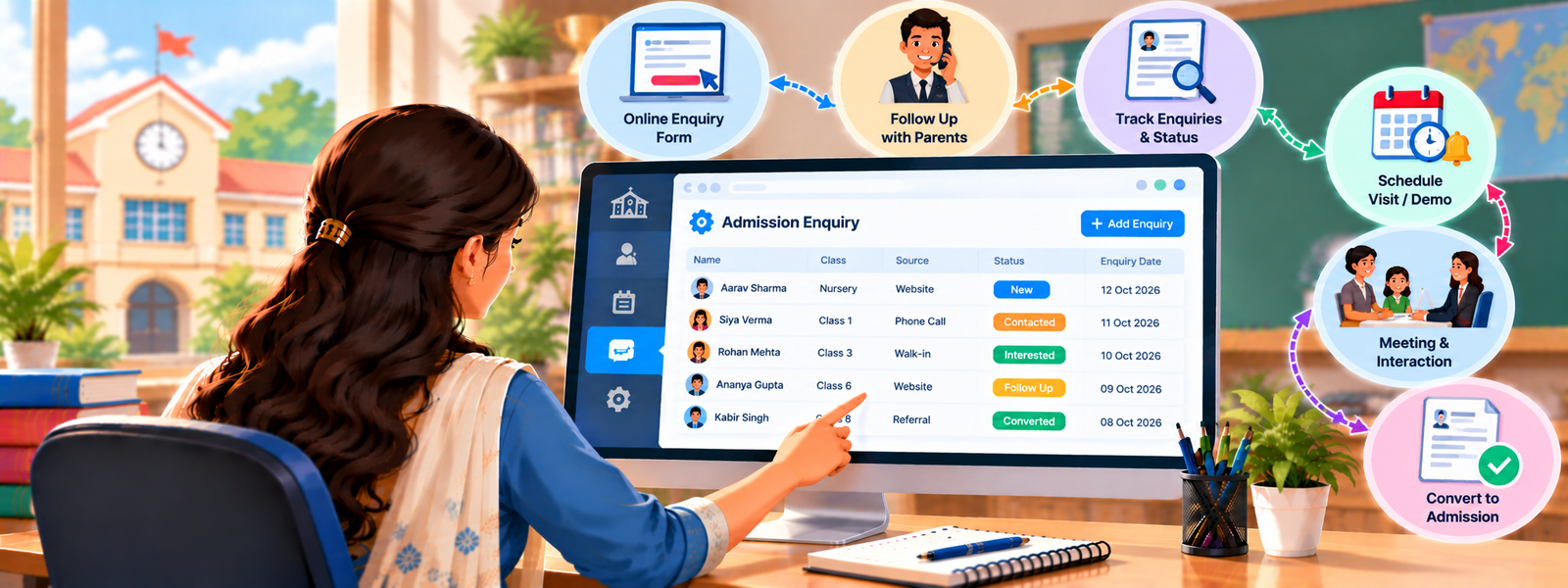
Keeping track of parent enquiry, new forms, entrance tests, and final admissions on paper or in loose files takes a lot of time. DigiEdu ERP offers a simple feature called the Admission Enquiry Page which makes this process very easy and this guide tells how to use it step-by-step.
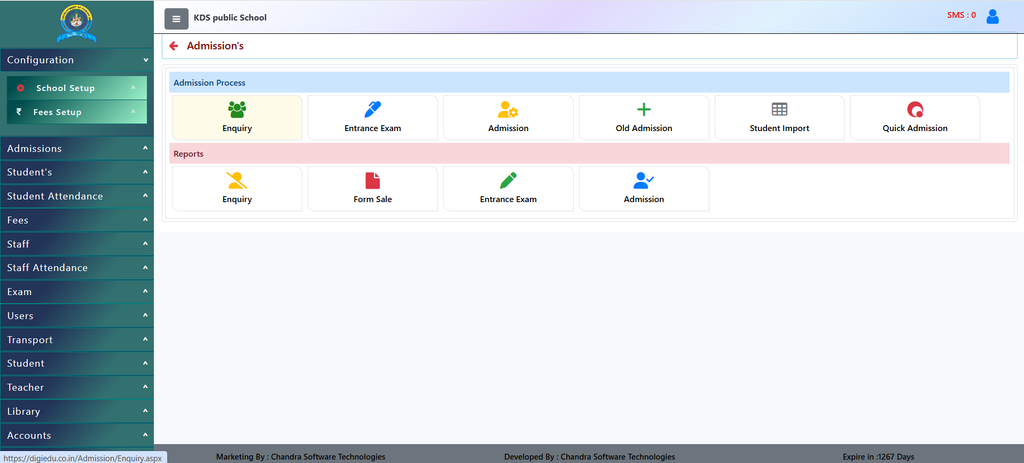
How to Use It (Step-by-Step)
Using this feature is very easy. Here is how school staff can use it:
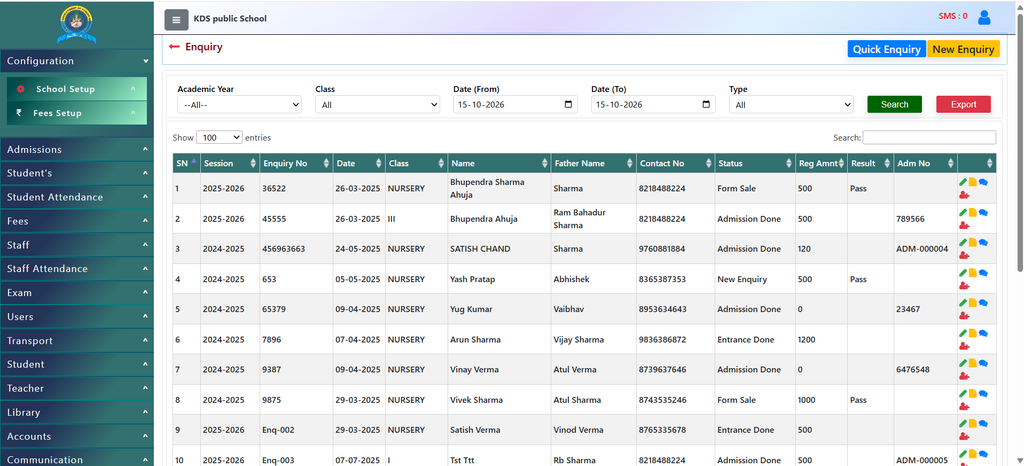
- Filter by Year or Class: At the top of the page, you can choose the Academic Year and Class (like Nursery, LKG, 1, or X) to see records for that specific group.
- Search for a Student: If a parent calls or visits, type their name or phone number into the Search box on the right side to find their record instantly.
- Add a New Enquiry: Click the New Enquiry or Quick Enquiry button at the top right when a new parent contacts the school to add their details to the list.
- Check Status and Details: The table shows helpful columns like:
- Name & Father Name: Who the enquiry is for.
- Contact No: The parent’s phone number for easy calling.
- Status: Shows if it is a “New Enquiry”, “Form Sale”, “Entrance Done”, or “Admission Done”.
- Export Data: If you need a backup or a report for meetings, you can click the [Export] button to download the list.
Why Should You Use It?
- Keep Everything in One Place: No need for diaries or notebooks. All student details, parent names, phone numbers, and admission status are stored digitally in a clean table.
- Save Time: You can quickly search for any student by name, class, or year without flipping through pages.
- Track Student Status Easily: You can see at a glance who is just inquiring, who bought a form, who cleared the entrance test, and who has already taken admission.
- Never Lose Data: Everything is saved safely online, meaning nothing gets lost or misplaced.
Contact Chandra Software Technologies
Looking for a technology partner for your business? Get in touch with Chandra Software Technologies to discuss your requirements and explore the right digital solution for your organization.
Address:
2A/638, Krishna Vihar, BSA Engineering College Rd, Mathura, Uttar Pradesh 281001
Sales:
+91 821 848 8224
info@cstmtr.com
Support:
+91 821 848 8224
support@cstmtr.com