
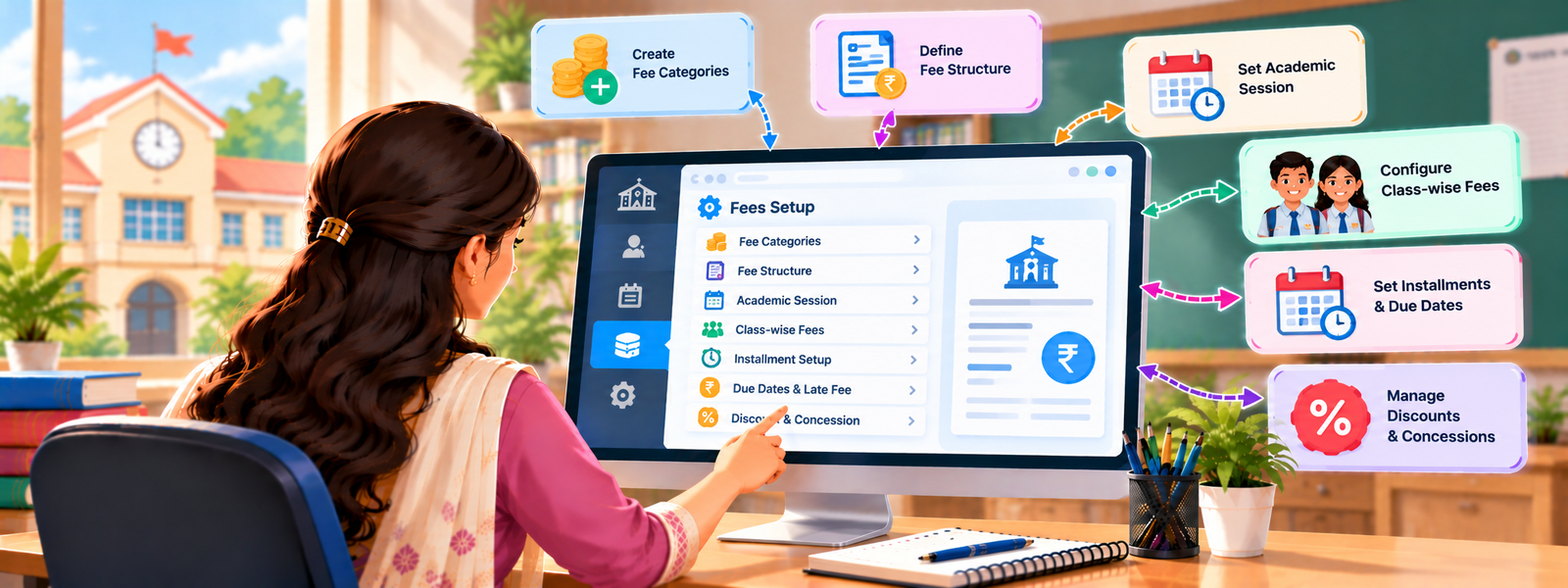
Managing school fees can be hard if you use paper notebooks or old files. In DigiEdu ERP the Fees Setup page comes at your aid and, everything becomes fast, clean, and easy. It lets school staff create, organize, and manage different types of fees for students in any class. Instead of writing things down on paper, everything is saved safely on the computer.
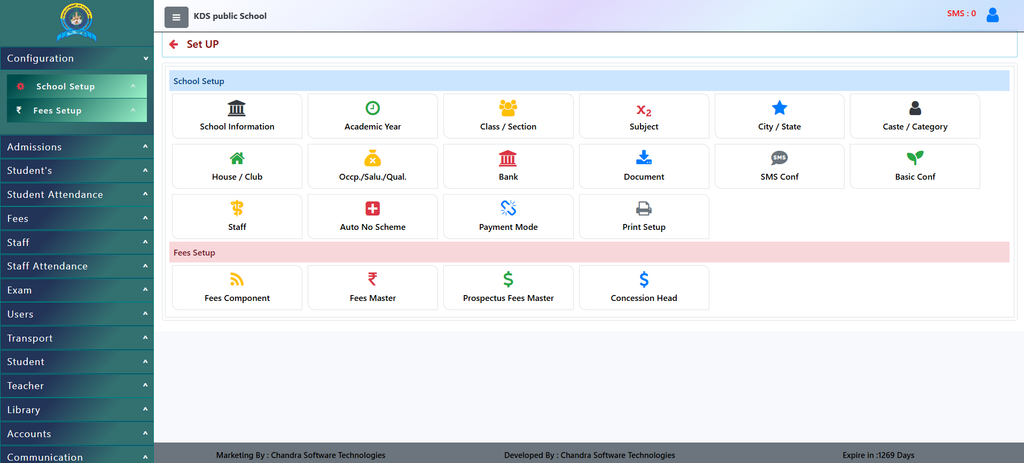
How to Use This Feature
Using this is very easy. Just follow these simple steps:
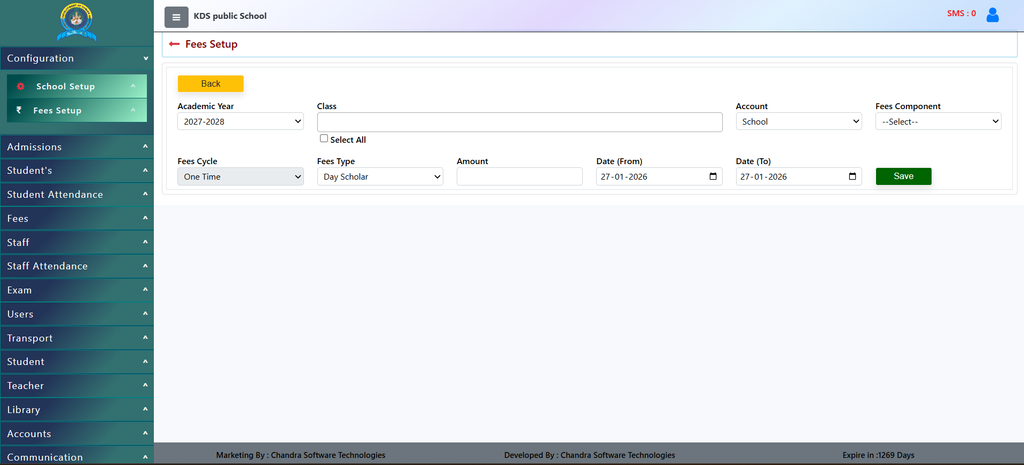
- Pick the Academic Year: Choose the correct year (for example, 2027-2028) from the first menu.
- Select the Class: Pick the specific class or group of students (like Nursery, Class 1, or Class 5) who need to pay this fee.
- Choose the Account: Select where the money goes, such as the main School account or Transport.
- Select the Fee Component: Choose what the fee is for—like Tution Fees, Exam Fee, Books, or Transport.
- Choose the Fee Cycle: Select how often this fee is paid (such as One Time, Monthly, Annual, or Quarterly).
- Select Fee Type: Choose whether the student is a Day Scholar or a Hosteller.
- Enter the Amount: Type the exact money amount in the box.
- Set the Dates: Pick the starting date and ending date for when this fee is valid.
- Save: Click the green Save button to store everything safely in the system!
Why Should Schools Use It?
- No More Confusion: All fee records are kept in one place. No one has to look through heavy registers.
- Saves Time: Staff can set up fees for an entire class in just a few clicks instead of doing calculations one by one.
- Clear Options: You can easily separate normal tuition fees, transport fees, exam fees, or admission charges.
- Fewer Mistakes: Automated software prevents human calculation errors and keeps accurate track of dates and amounts.
Contact Chandra Software Technologies
Looking for a technology partner for your business? Get in touch with Chandra Software Technologies to discuss your requirements and explore the right digital solution for your organization.
Address:
2A/638, Krishna Vihar, BSA Engineering College Rd, Mathura, Uttar Pradesh 281001
Sales:
+91 821 848 8224
info@cstmtr.com
Support:
+91 821 848 8224
support@cstmtr.com