

When a school starts its admission season, selling and managing physical admission forms can become very confusing. Keeping track of form numbers, collecting payments, and noting down student details on paper usually leads to missing records or long queues.
DigiEdu ERP has a simple solution to it called the New Admissions feature, this blog tells why schools should use it, and how to use it step-by-step.
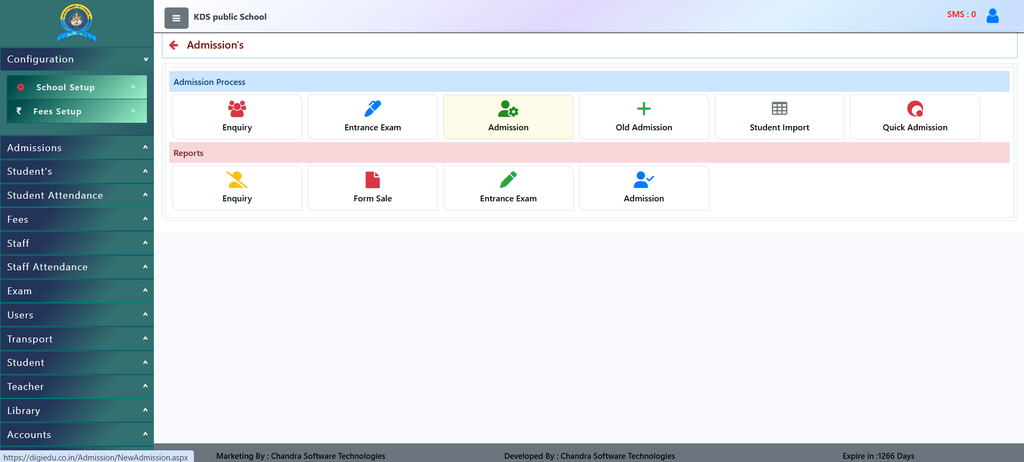
How to Use It
Using this feature is very straightforward. Here is how school staff can manage forms easily:
- Select Academic Year: Choose the correct academic year (such as 2025-2026) from the dropdown at the top.
- Filter by Class: Pick the specific class to view forms issued or sold for that grade level.
- Add a New Form Entry: Click the [Add New] or [Create Form] button when a parent purchases or requests a new admission form.
- Fill Student and Form Details: Type in the form serial number, student’s name, father’s name, contact number, and fee details into the fields.
- Save the Record: Click the [Save] button to store the form details securely in the database.

Why Should You Use It?
- Organize Form Numbers: You can track every single admission form by its serial number so that no form goes missing or unaccounted for.
- Link with Classes Easily: Assign forms directly to specific classes (like Nursery, KG, or primary grades) so you know how many forms are taken for which class.
- Clear Payment Tracking: Keep a neat digital record of form fees and payment statuses without checking physical cash or messy receipt books manually.
- Quick Search & Reports: Instantly look up form details by typing a student’s name or form number in the search bar.
Contact Chandra Software Technologies
Looking for a technology partner for your business? Get in touch with Chandra Software Technologies to discuss your requirements and explore the right digital solution for your organization.
Address:
2A/638, Krishna Vihar, BSA Engineering College Rd, Mathura, Uttar Pradesh 281001
Sales:
+91 821 848 8224
info@cstmtr.com
Support:
+91 821 848 8224
support@cstmtr.com