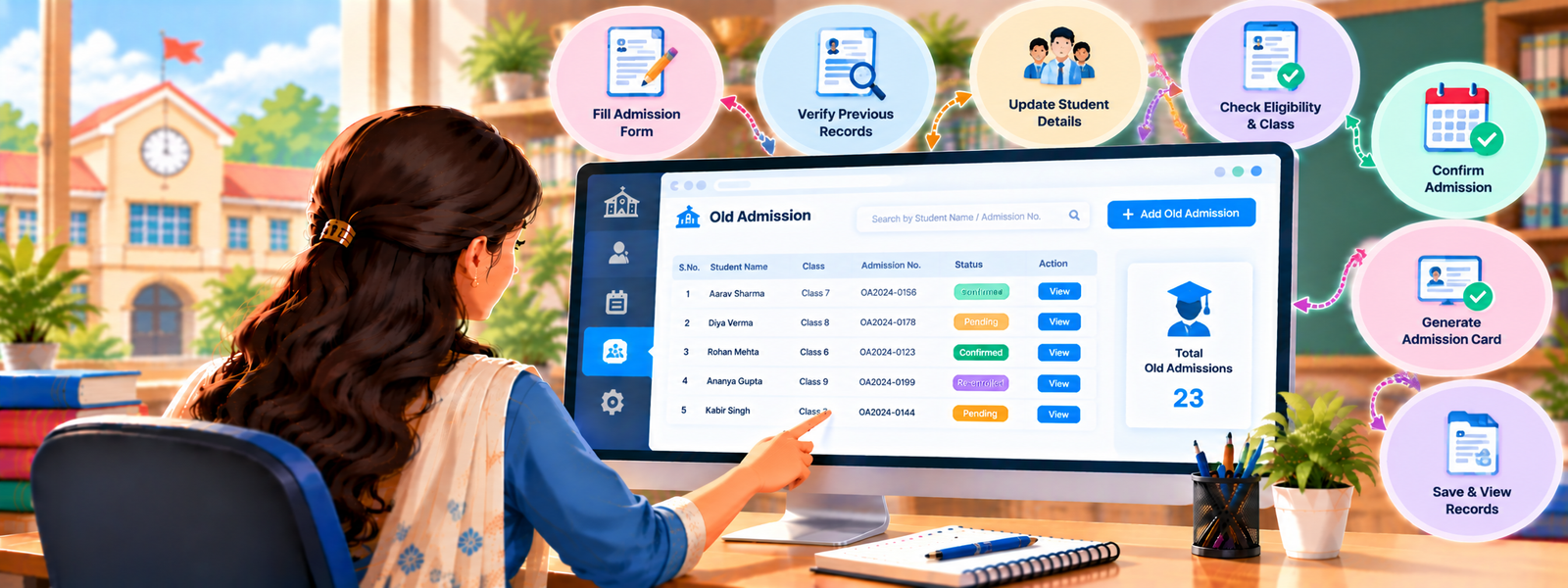
The Old Admission feature is a tool in DigiEdu ERP designed for existing students. Instead of treating a returning student as a brand-new application, this feature helps you quickly update their details, move them into their new class, and assign them an academic year seamlessly.

How to Use It (Step-by-Step)
Using the Old Admission page is very straightforward. Just follow these simple steps:
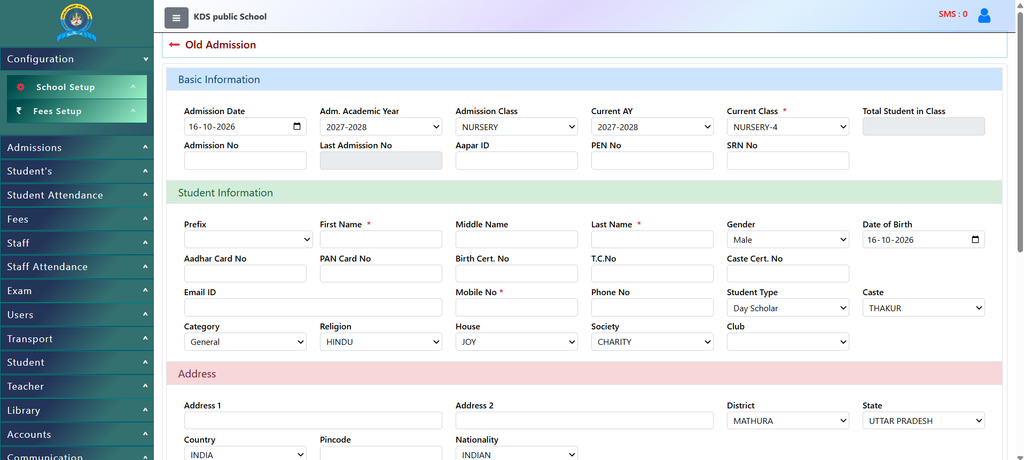
Step 1: Fill in Basic Information
- Admission Date: Check or select the correct date of admission.
- Academic Year & Class: Select the correct Adm. Academic Year (e.g., 2027-2028) and the Admission Class and Current Class.
- Student IDs: Enter the student’s admission number, Aadhar ID, or PEN number if required.
Step 2: Check Student Information
- Make sure the student’s First Name, Last Name, Gender, and Mobile Number are correct.
- Review details like Date of Birth, Category, Religion, and House to make sure everything is up to date.
Step 3: Verify Address & Parents’ Details
- Double-check the home address, district, state, and pin code.
- Review the Father’s Name, Mother’s Name, and their contact numbers to ensure parents can still be reached easily.
Step 4: Save
- Once you have checked all the details and filled in any missing fields, simply click the [Save] button at the bottom of the page.
Why Should You Use It?
Using the Old Admission page makes managing school data much smoother. Here are the main benefits:
- Saves Time: You don’t have to re-enter all student details from scratch. Their basic information, parents’ details, and address are already accounted for in old admission.
- Keeps Records Clean: It ensures that every returning student is properly linked to their correct current class and academic year (for example, moving from Nursery to LKG, or updating to the new year).
- Avoids Duplicates: By using this feature instead of creating a new registration, you prevent creating duplicate profiles for the same student.
- Easy Tracking: It helps staff easily manage ID numbers, categories, and contact information all in one place.
Contact Chandra Software Technologies
Looking for a technology partner for your business? Get in touch with Chandra Software Technologies to discuss your requirements and explore the right digital solution for your organization.
Address:
2A/638, Krishna Vihar, BSA Engineering College Rd, Mathura, Uttar Pradesh 281001
Sales:
+91 821 848 8224
info@cstmtr.com
Support:
+91 821 848 8224
support@cstmtr.com