

When managing a school, keeping your sessions organized is critical for smooth operations. Whether you are promoting students to the next grade, generating annual fee structures, or scheduling exams, everything revolves around one core timeline: the academic calendar.
In the DigiEdu ERP platform, the Academic Year module acts as the backbone for all time-bound school data. In this guide, we will walk you through what this module contains and how to manage your active school sessions efficiently
Understanding Your Academic Year Data
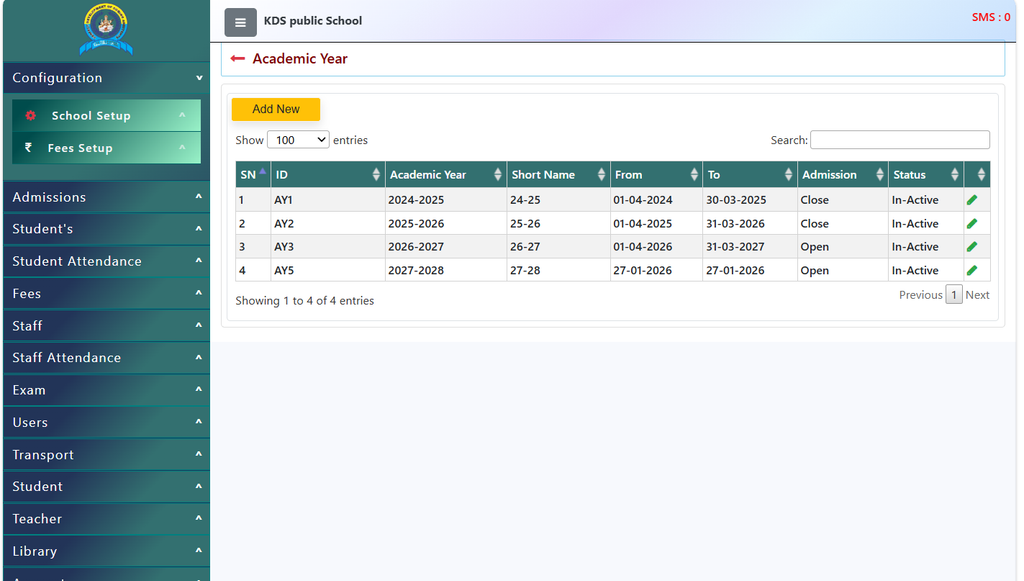
Before starting daily entries, the system needs to know which operational session is currently active. A standard Academic Year setup typically includes:
- Academic Year: The designated formal name of the school session (e.g., 2024-2025, 2025-2026, and 2026-2027).
- Short Name: A brief code or abbreviation used across the system for quick identification and reporting references.
- Admission / Date Range: The exact operational duration bracket (such as starting from 01-04-2024 up to 31-03-2025) during which admissions and academic activities are processed.
- Status Controls: Clear indicators showing whether a specific session is currently Active or closed, ensuring all daily fee collections, student records, and promotions map strictly to the correct operational timeline.
How to Configure Your Academic Year
Managing or updating your session timeline inside the ERP software is a straightforward process:
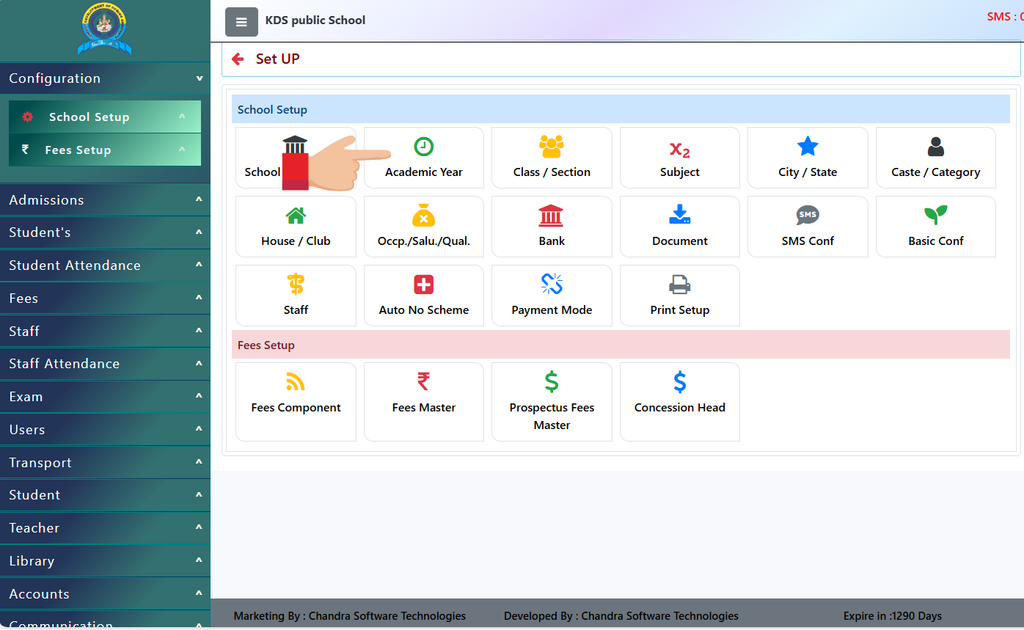
- Navigate to the Module: Log in to your admin dashboard, expand the setup menu, and click on the Academic Year option.
- Review Existing Sessions: Check the data table to view ongoing or past academic sessions and their respective start-end dates.
- Add or Edit Sessions: Click on the edit or add options to input a new session timeline, set the valid date brackets, and designate the active operational year for the school
Why Managing Academic Years with DigiEdu ERP is Beneficial for You
Transitioning between sessions doesn’t have to be a stressful administrative task. With the reliable and structured Academic Year module by DigiEdu, schools can effortlessly control their operational timelines, secure data segregation, and ensure smooth academic transitions year after year.
Contact Chandra Software Technologies
Looking for a technology partner for your business? Get in touch with Chandra Software Technologies to discuss your requirements and explore the right digital solution for your organization.
Address:
2A/638, Krishna Vihar, BSA Engineering College Rd, Mathura, Uttar Pradesh 281001
Sales:
+91 821 848 8224
info@cstmtr.com
Support:
+91 821 848 8224
support@cstmtr.com