

Managing student and staff details smoothly starts with setting up the right options in DigiEdu ERP system. This page allows you to add common titles, educational backgrounds, and professions so you can select them easily during student or staff registration.
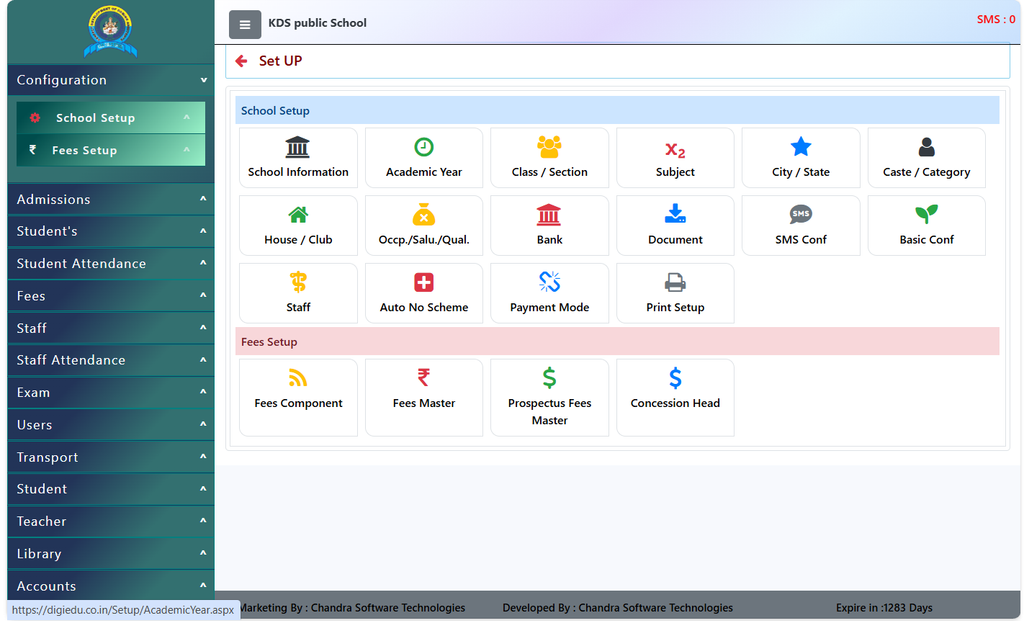
Step-by-Step Guide To Use Salutations/Qualifications/Occupations:
Step 1: Check Existing Entries
- Login To Your DigiEdu ERP account and open the school configuration module.
- Open the Salutations / Qualification / Occupation page.
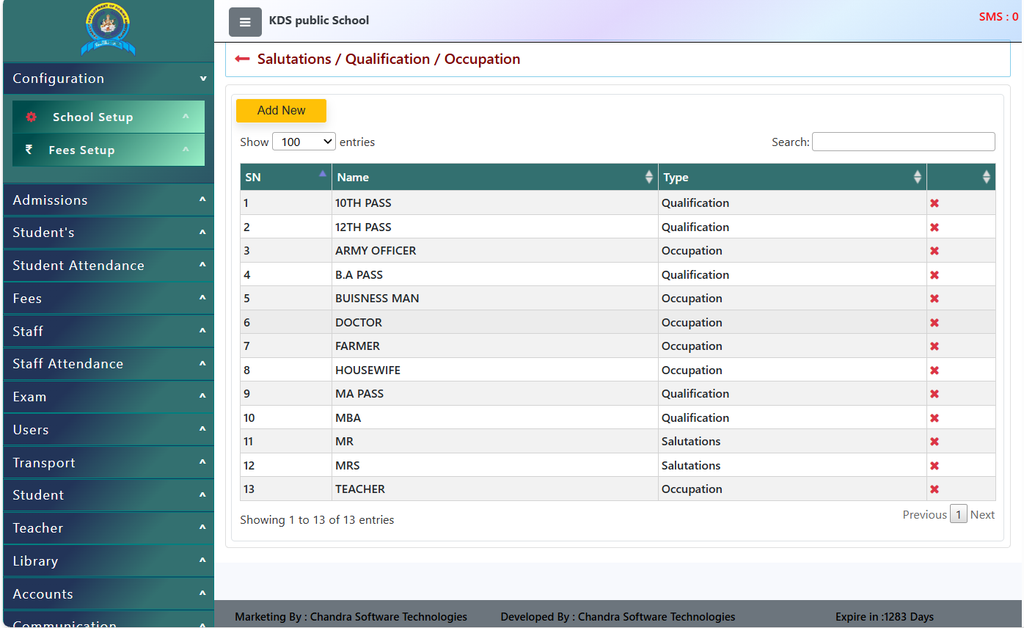
- You will see a table listing all pre-saved entries (like 10TH PASS, DOCTOR, or MR) along with their category type.
Step 2: Add a New Option
- Click on the yellow [Add New] button at the top left of the table to create a brand-new salutation, qualification, or occupation.
Step 3: Search for an Item
- If your list gets very long and you are looking for a specific item, simply type its name into the Search box on the top right to find it instantly.
Step 4: Delete an Unused Entry
- If any entry is outdated or no longer needed, just click the red cross (
x) button in the last column next to that item to remove it.
Why Should You Use This Section?
Saves Your Time: Instead of typing out titles like “Doctor”, “Teacher”, or “10th Pass” manually every time you add a new student or staff profile, you can just pick them from a ready list in DigiEdu ERP.
Keeps Data Clean and Tidy: If people type manually, they might make spelling mistakes (like writing Buisness Man instead of Businessman). Pre-saving options keeps all records neat and professional.
Easy Searching: When qualifications and occupations are categorized properly, it becomes very easy to filter or search for specific parent and staff details later.
Fully Flexible: Every school has different needs. This page lets you add new options or delete old, unused ones in just one click so your software stays up to date.
Contact Chandra Software Technologies
Looking for a technology partner for your business? Get in touch with Chandra Software Technologies to discuss your requirements and explore the right digital solution for your organization.
Address:
2A/638, Krishna Vihar, BSA Engineering College Rd, Mathura, Uttar Pradesh 281001
Sales:
+91 821 848 8224
info@cstmtr.com
Support:
+91 821 848 8224
support@cstmtr.com