

Running a school involves sending SMS and communicating with dozens or even hundreds of parents every single day. Whether it is telling a parent that their child is absent, sending out fee reminders, or announcing a school holiday, sharing information quickly is very important.That is where the SMS Feature comes in DigiEdu ERP.
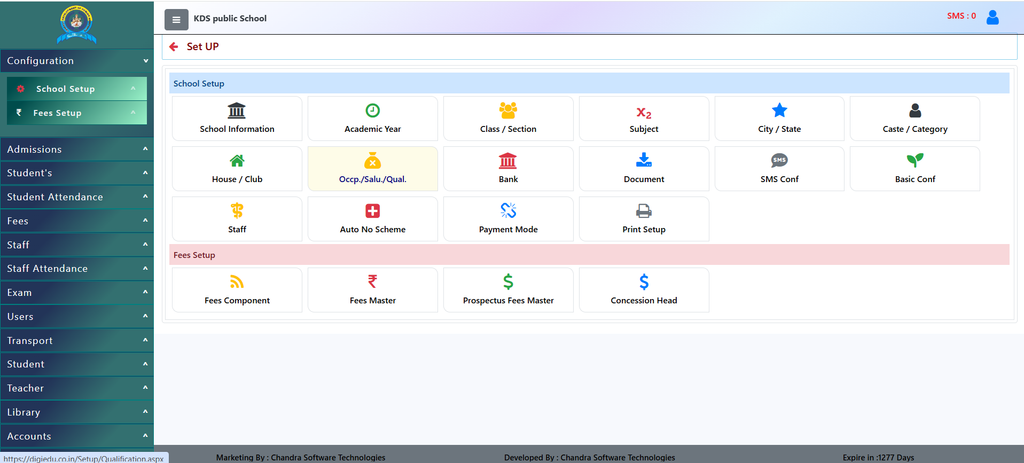
How to Use the SMS Feature
Here are the simple steps:
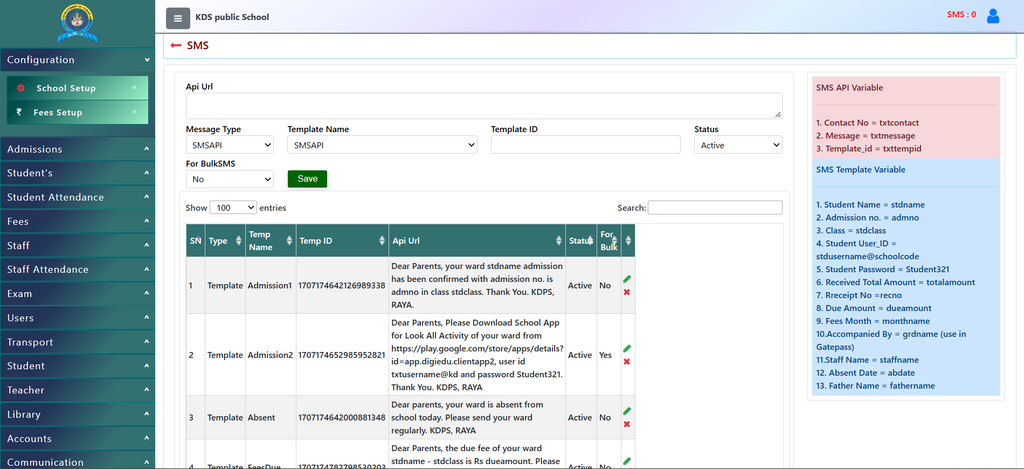
- Typing messages every time takes too long, so the system uses Templates. You can see examples on the screen like:
- Admission1: Sends a welcome message when a student’s admission is confirmed.
- Absent: Automatically informs parents if their child is absent today.
- FeesDue: Reminds parents about pending school fees.
- Schoolclose: Announces school holidays from one date to another.
- Any you can add many more like these
Use Variables
2. The templates use smart keywords (variables) in brackets so the system can fill in details automatically. For example:
stdnamegets replaced by the student’s actual name.stdclassgets replaced by their class.dueamountshows the exact money pending. This means you write the message once, and the software customizes it for every single student!- Similarly you can use all the variables visible.
Manage
3. Selecting the correct options.
- Choose whether you want to send a single message or select For BulkSMS (Yes) to send notices to an entire class or school.
- Check the status (Active or In Active) to make sure your templates are ready to use.
- Click Save, and your message templates are ready to go live!
Why Should You Use the SMS Feature?
- Instant Communication: Instead of calling parents one by one or writing physical notes, you can send an instant message to all parents with a single click.
- Reduces Manual Work: The system uses pre-made templates (like for fees, attendance, and exam results). You do not need to type the same message again and again.
- Keeps Parents Informed: Parents love staying updated. Getting a quick text message about their child’s attendance, fees due, or upcoming Parent-Teacher Meetings (PTM) builds trust with the school.
- Saves Time and Money: Bulk messaging is fast, affordable, and ensures that important notices never get lost in school bags.
Contact Chandra Software Technologies
Looking for a technology partner for your business? Get in touch with Chandra Software Technologies to discuss your requirements and explore the right digital solution for your organization.
Address:
2A/638, Krishna Vihar, BSA Engineering College Rd, Mathura, Uttar Pradesh 281001
Sales:
+91 821 848 8224
info@cstmtr.com
Support:
+91 821 848 8224
support@cstmtr.com